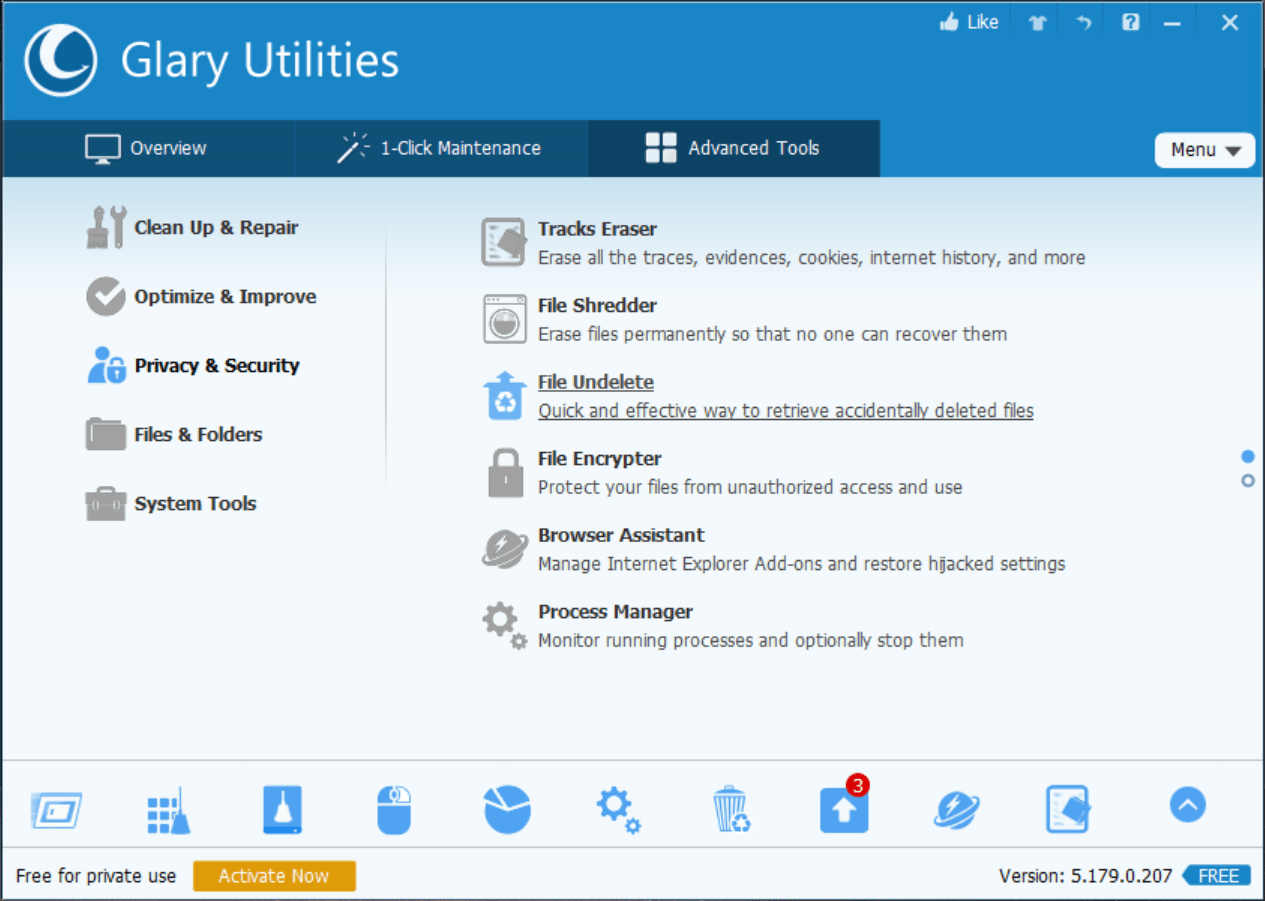
Glary Utilities is a well-known name in system-cleaning and performance-boosting apps for Windows. It manages your system and speeds it up, letting you fix everything with a single click or dig into advanced features to see exactly what might be making your PC lag.
One-click option
With the 1-Click Maintenance feature, you can quickly fix many of the simple issues slowing down your PC. If you are a beginner or just do not want to spend time tweaking settings, this is the tool to use. It includes the Registry Cleaner, Shortcuts Fixer, Disk Repair, Tracks Eraser, Temporary Files Cleaner, and Spyware Remover options.Advanced tools
If you want to go deeper into the program, you can jump into the Advanced Tools tab. There are several categories to explore: Clean Up & Repair, Optimize & Improve, Privacy & Security, Files & Folders, and System Tools.Interface and usability
Glary Utilities is incredibly easy to install and quick to get started. While the interface looks a bit outdated compared to modern designs, its simplicity makes it suitable for both beginners and professionals who will have no problems optimizing their computers with this tool.Pro version
Glary Utilities operates on a freemium model, offering an optional Pro version. The final cost depends on the tier chosen or active promotions. Upgrading provides extra features such as scheduled automatic optimization, enhanced fixing, auto-cleaning for privacy and security, and a few more options.A capable tool to restore PC performance
When it comes to system optimization, Glary Utilities efficiently handles registry errors, clears temporary files, wipes off clutter, and checks if your privacy is compromised. If you need a straightforward application to fix a lagging PC, this tool gets the job done.